Onboarding
First impressions matter
Overview
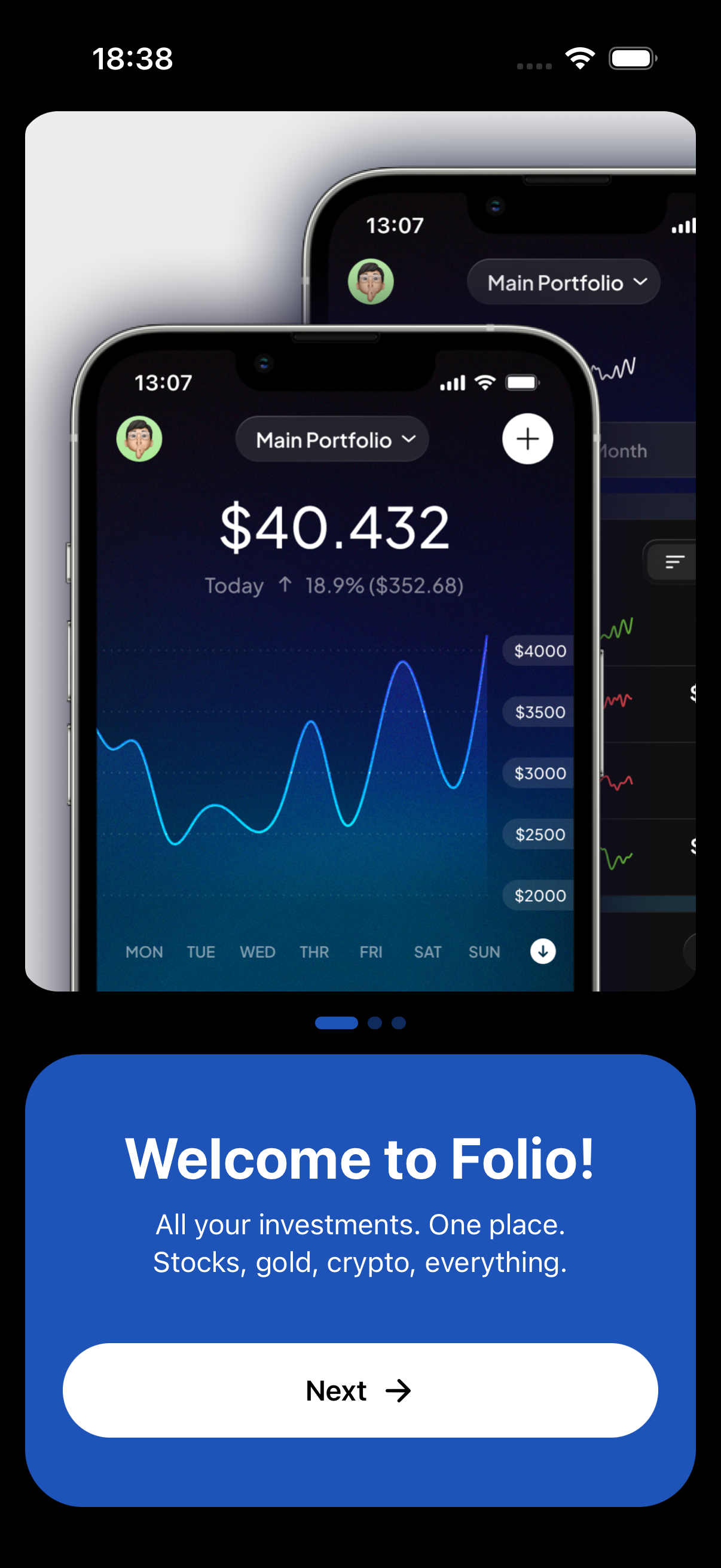
The onboarding flow has three slides in a horizontal FlatList carousel. Slide one: "Welcome to Folio! All your investments. One place. Stocks, gold, crypto, everything." Slide two: "Real time. Always. Live prices update automatically. Set alerts for what matters most." Slide three: "Ready to take control? Add your first asset and see your full picture." Each slide has a full width illustration. Below the carousel there are animated dots that expand when active. A "Continue" button advances through slides, and on the last slide it changes to "Get Started" and navigates to the login screen. The whole flow supports both light and dark mode with different illustration sets. After onboarding, the login screen offers Apple Sign In, Google Sign In, and email login through Clerk.
How it works
The carousel is a horizontal FlatList with pagingEnabled and onViewableItemsChanged to track the current index. Each slide takes the full screen width.
Carousel dots use Reanimated for smooth width and opacity animations. The active dot expands to 24px, inactive dots shrink to 8px. Easing uses a custom bezier curve for a snappy feel.
The Continue button triggers haptic feedback (expo-haptics, medium impact) on every tap. On the last slide it navigates to the login screen using expo-router.
Login uses Clerk with three strategies: Apple (useOAuth), Google (useOAuth), and email (useSignIn with email code). The email flow sends a verification code rather than using passwords.
After successful auth, Clerk redirects to the tab layout. The _layout.tsx checks isSignedIn and either shows the tabs or redirects back to onboarding.
Onboarding completion is tracked in AsyncStorage (onboardingStorage utility). Once you have seen it, you go straight to login on future opens.
Key decisions
FlatList over a swipe library
We considered using react-native-pager-view or other swipe libraries, but a FlatList with pagingEnabled does the job perfectly for three slides. Fewer dependencies, simpler code, and the snap behavior is built in.
Haptic feedback on navigation
Small detail but it makes the onboarding feel premium. Every tap on Continue gives a medium impact haptic. It is a one line call to expo-haptics but it adds a tactile quality that static screens do not have.
Clerk over custom auth
Building auth from scratch is a rabbit hole. Session management, token refresh, OAuth flows, email verification, all of it is complex and security sensitive. Clerk handles it all out of the box, including a polished UI for sign in flows. The integration with Expo is solid and the React hooks (useAuth, useUser, useOAuth) are clean to work with.